When the size ranges shown on the product page and checkout page don't match, don't rush to pay using the checkout page's default option. First confirm that the color, size, variant number, and cart status still correspond to the same item; if the final shipping size cannot be confirmed, pause payment and request manual verification. ## First, Identify the Discrepa
When the size ranges shown on the product page and checkout page don't match, don't rush to pay using the checkout page's default option. First confirm that the color, size, variant number, and cart status still correspond to the same item; if the final shipping size cannot be confirmed, pause payment and request manual verification.

First, Identify the Discrepancy You're Seeing
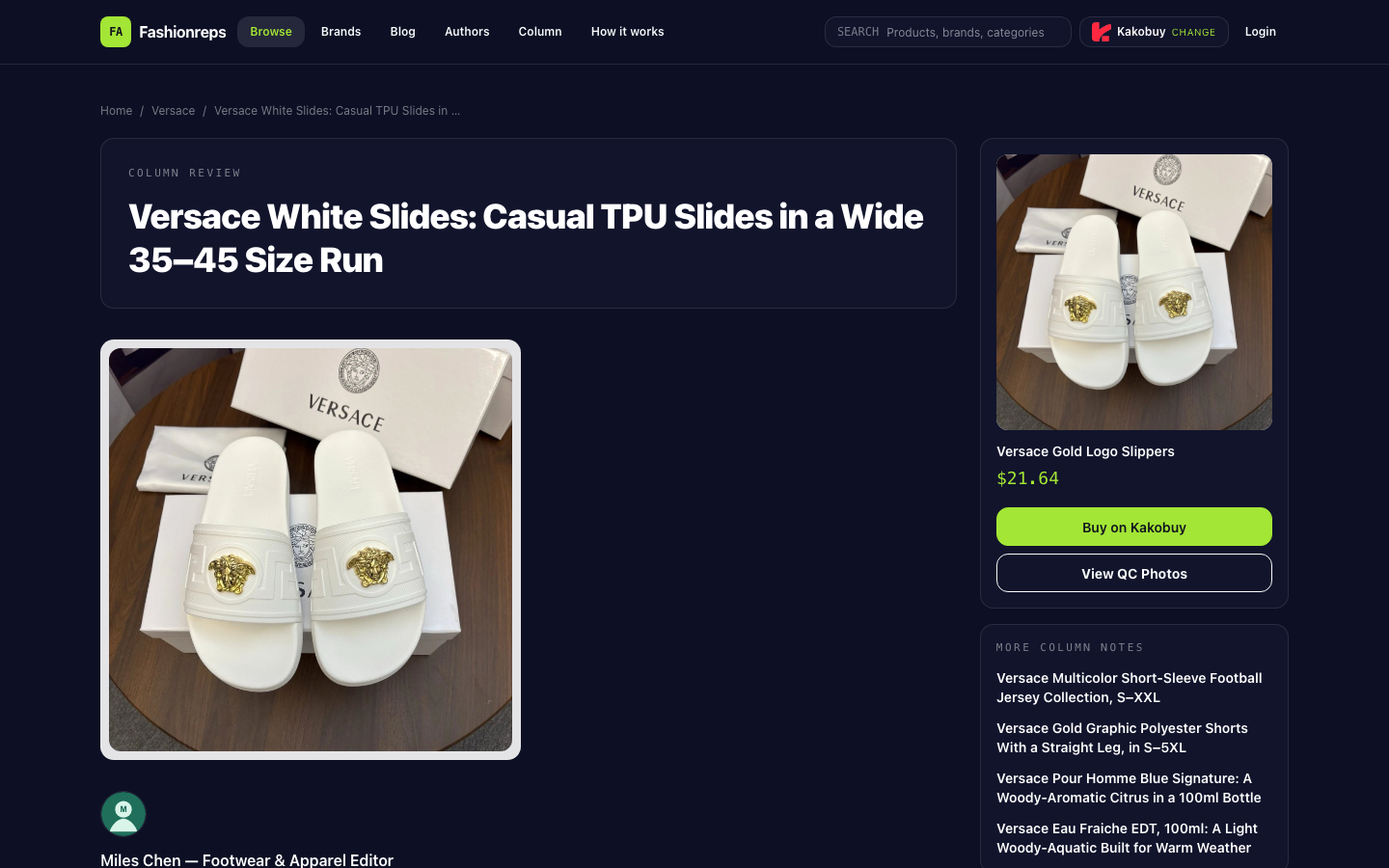
In the product information for this white Versace slide, two sets of size information appear in different places on the page: one shows 39–46, and the specifications row shows 35–45. The source page also states that the item is labeled with a TPU upper and TPU outsole, but this catalog information does not prove that every size is actually in stock.
Therefore, a mismatch in size ranges does not necessarily mean a particular size is out of stock, nor can you infer that the checkout page's options represent the final shippable variant. You need to verify separately whether the checkout page has retained the size you selected on the product page.
Scenarios That Could Occur
Common reasons include:
- The product title, specifications row, and variant selector use different fields.
- After selecting a color, the page reloads and resets the size.
- When moving from the product page to the cart, the system keeps the default size instead of the one you just clicked.
- The cart or checkout page displays a variant number, while the page text uses a different size range.
- Page caching, redirect links, or the shopping agent page haven't synced the latest product options.
These are only directions for verification and cannot replace confirming the current order status. Just because two size ranges appear on the page doesn't tell you which range represents the actually available inventory.
Check in Sequence Before Paying
1. Save Evidence from the Product Page
Record the following on the product page:
- Product title and color.
- The size you intend to purchase.
- The options actually clickable in the size selector.
- The size range displayed on the product page.
- Any SKU, variant number, or other product identifier on the page.
- Date and time of your inquiry.
Also take a screenshot that includes the product title, color, and size selection state. Don't just capture the size range, because a range alone doesn't prove which variant you selected.
2. Re-check the Cart
After entering the cart, compare item by item: product title, color, size, and quantity. Pay attention to:
- Whether the size has changed to a default value.
- Whether the size is cleared or reset after a color change.
- Whether a new variant number appears in the cart.
- Whether the product link still points to the same style.
If the cart only shows a generic product name without a clear size or variant, treat it as incomplete verification, not as the system automatically selecting the correct one.
3. Verify Again on the Checkout Page
Go to the checkout page but do not pay. Check the item information in the order summary. Record in this order:
- Is the product title consistent?
- Is the color consistent?
- Does the size match your selection on the product page?
- Is there a SKU, variant number, or seller note?
- Does the page indicate stock, out-of-stock, or require manual confirmation?
If you selected a specific size on the product page but the checkout page only shows a different range, you cannot treat that range as a locked specific size. Only when the checkout summary clearly shows a specific size and the color and variant match can you consider the page-level verification complete.
What to Confirm with Customer Service
If the checkout page is still unclear, submit a manual confirmation request through the customer service channel provided by your current shopping agent or order page. Don't just ask "which size is right"; instead, ask them to confirm which variant the order will ship.
You can provide:
- Screenshot of the product page.
- Screenshot of the cart.
- Screenshot of the checkout page.
- Product link or product number.
- Desired color and size.
- The specific locations where the two size ranges (39–46 and 35–45) appear on the product page.
You can ask directly:
Please confirm the actual locked color, specific size, and variant number for this item in the current order. The product page shows two different size ranges; please confirm whether the desired size is truly in stock and which variant the warehouse will ship after payment. Before confirmation, please do not change the size or submit the order on my behalf.
A customer service reply of "in stock," "you can buy," or sending another product link does not prove that the original order has locked the desired size. Keep a written confirmation from them that clearly states the color, size, and variant.
When to Stop Payment
Pause payment if any of the following occurs:
- The product page and checkout page do not show the same specific size.
- The checkout page has no color, size, or variant number.
- After selecting a color, the size is automatically reset.
- Customer service cannot clearly confirm the actual shipping variant.
- Customer service asks you to pay first and confirm the size later.
- The size range shown on the page doesn't match the selectable options, and there's no stock explanation.
- Your saved screenshots cannot prove the specific size in the final order.
Pausing payment doesn't necessarily mean the item is problematic; it means the current evidence is insufficient to support payment. Save the page and customer service records first, then wait for a clear response. If you cannot confirm the final shipping size, don't treat an uncertain variant as a confirmed order.
About Size Limitations
Public information on the source page shows that buyers have inconsistent feedback on Versace slide sizing: some think they run slightly large, while others suggest choosing your usual sandal size and considering extra room if you want a looser fit. Therefore, you cannot rely solely on the shoe size range or others' experiences to determine your correct size.
The current page also doesn't provide independent buyer evidence for this item. Even if the page lists reference prices, the item price, service fees, and international shipping still need to be based on the shopping agent's checkout page; these fee details cannot prove that the size variant is locked.
The final judgment is simple: do the product page, cart, and checkout page point to the same color, same specific size, and same variant? If any of these doesn't match, stop payment and ask your current shopping agent for manual confirmation.
Nadia Brandt is the site's Editor-in-Chief, reviewing important corrections and leading its quarterly shipping-line timing study. Her coverage includes shopping-agent fee structures, parcel consolidation and volumetric weight, EU-bound shipping timelines, personal-import customs paperwork and QC photo interpretation. Each quarter, she sends paired 2 kg and 5 kg test parcels along every line the desk covers, logging pickup scans, warehouse departure, airline departure and delivery dates against the date the quote was issued. She reconciles the parcels with agent invoices, records cost differences, and uses median figures for the site's public timing tables. She maintains the order log in which scores are fixed before page performance is checked. Her coverage explains the transport milestones and invoice checks behind comparisons of shipping times.