First Determine: The Discount May Only Apply to the Product Subtotal Seeing a coupon marked "Applied" on the checkout page does not necessarily mean the final amount due will decrease as expected. A common mistake is to only look at the coupon status at the top of the page without comparing whether the product subtotal, discount, and additional fees have changed individually. This check is based on the Under Armour brand page on fashion-reps. The
First Determine: The Discount May Only Apply to the Product Subtotal
Seeing a coupon marked "Applied" on the checkout page does not necessarily mean the final amount due will decrease as expected. A common mistake is to only look at the coupon status at the top of the page without comparing whether the product subtotal, discount, and additional fees have changed individually.
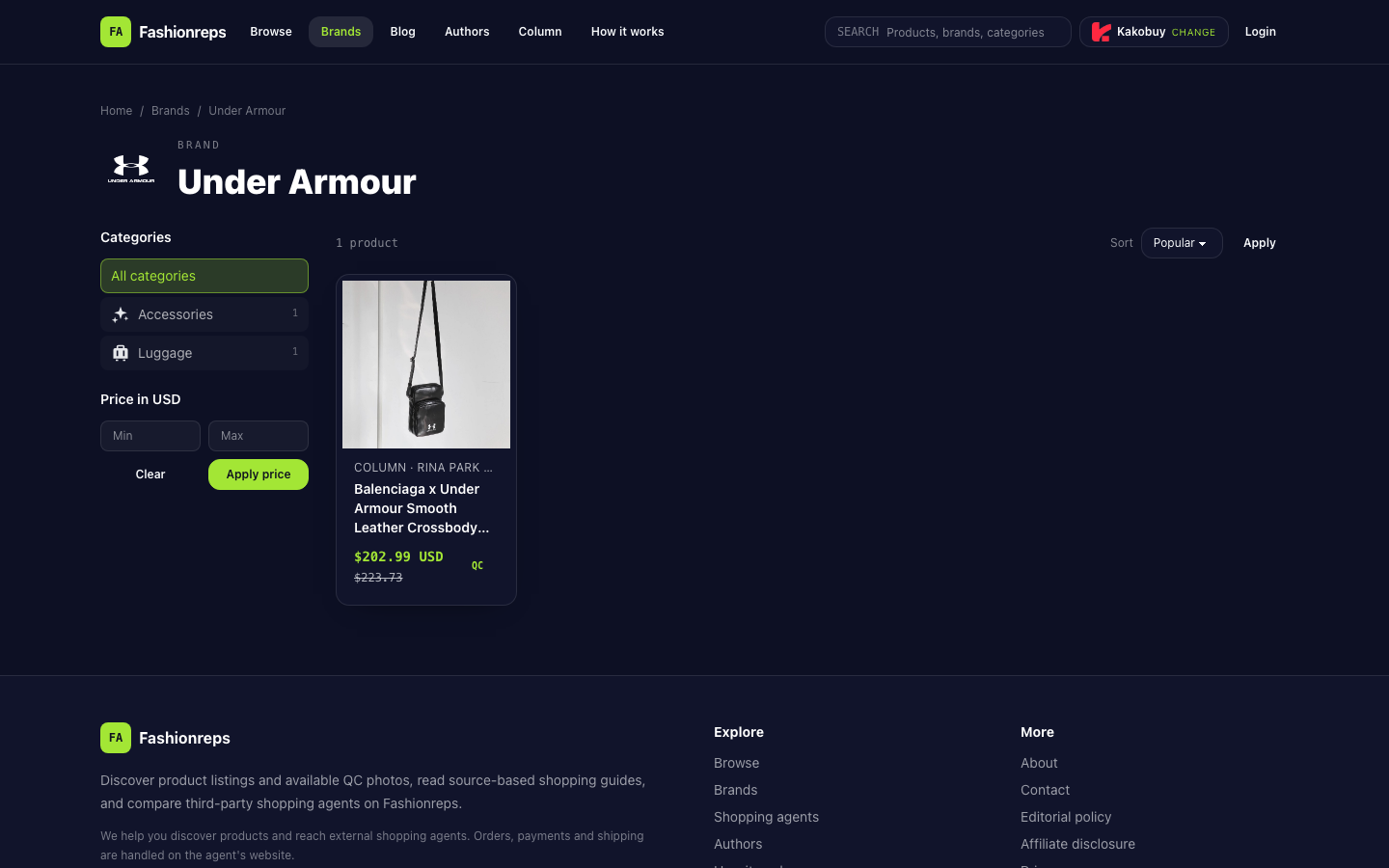
This check is based on the Under Armour brand page on fashion-reps. The page currently shows 1 product, and the page's record verification time is October 31, 2026. The page itself does not provide any current official promo codes, discount amounts, validity periods, or applicable conditions that can be used for this article. Therefore, it cannot be inferred that a specific code is valid, nor can it guarantee savings at checkout.

The image is an illustration, only to demonstrate how to verify checkout fields, not evidence of physical product, QC, or personal testing.
Before Checkout, Save a Verifiable Record
Before modifying the cart or switching coupons, save the following information:
- Product name, product link, or page identifier.
- Selected color, size, and quantity.
- Product unit price, quantity, and product subtotal shown at checkout.
- Coupon name, coupon text, and "Applied" status.
- Account, region, currency, and shipping destination displayed on the page.
- Screenshot time, and whether the page is still in a state where the order can be submitted.
If the same coupon shows different results under different accounts, regions, or currencies, record them separately. Do not apply results from one checkout environment to another.
Check Product Eligibility in Order
1. Verify Whether the Product Falls Within the Discount Scope
First confirm whether the coupon applies to all products, specific brands, specific categories, or only certain products. The Under Armour page currently displays only one product entry, but the number of products on the page does not prove that the product meets the conditions of a particular coupon.
If the coupon description requires a specific category or product tag, save screenshots showing that condition and the product classification. When the page does not clearly state the applicable scope, do not infer product eligibility based on the brand name.
2. Check the Calculation Basis for Minimum Spend
Minimum spend may be calculated based on the product subtotal, or it may exclude discounts, taxes, shipping, or other additional amounts. Record the product subtotal before and after the discount separately, rather than directly using the final amount due to determine whether the threshold is met.
For example, reaching a threshold in the product subtotal does not automatically mean the total including shipping will also be used for calculation; conversely, a higher final payment amount does not indicate that the product itself met the discount threshold. The specific calculation basis must be based on the current discount description and checkout page fields.
3. Look for Exclusions, Validity Period, and Account Conditions
Check the discount description item by item for the following restrictions:
- Specific products, categories, or promotional items are excluded.
- New account, specified account tier, or login status required.
- Limited to specific regions, currencies, or payment methods.
- Can only be used within a specified time period.
- One use per account, order, or user.
There is currently no verifiable official discount information supporting specific exclusions, dates, or discount values. Therefore, when encountering a coupon without explanation, do not treat "Applied" as meaning all conditions have been met.
4. Check Stacking Rules
Confirm whether automatic discounts, store discounts, platform promotions, or other coupons are simultaneously present in the cart. Some systems display one coupon as applied but actually keep only one of the discounts, or first remove another discount before recalculating the amount.
You can record three states in order: no discount used, only the target discount used, and other discounts also retained. Change only one variable at a time to avoid being unable to determine which setting caused the amount change.
Then Break Down the Amount Fields
The checkout page should record at least the following fields separately:
- Product subtotal.
- Discount or coupon reduction.
- Service fee, payment fee, or processing fee.
- Packaging, storage, or other additional fees listed on the page.
- International shipping or delivery fee.
- Taxes, customs duties, or other fees listed on the page.
- Final amount due.
When determining whether the discount actually changed the amount, first compare the product subtotal and discount, then compare additional fees, and finally compare the final amount due. If the discount increased but the final amount due did not decrease significantly, it may be that shipping, service fees, taxes, or other fees changed simultaneously. This can only be confirmed by before-and-after amount records, not by page prompts alone.
Use Before-and-After Screenshots to Locate Anomalies
It is recommended to save two sets of screenshots:
- Before applying the discount: product, quantity, product subtotal, various fees, and final amount due.
- After applying the discount: same product, quantity, shipping information, currency, various fees, and final amount due.
The two sets of screenshots should keep the same account, address, shipping method, and payment method as much as possible. If the page auto-refreshes or redirects, supplement the record with the time before and after the refresh and the changed fields.
You can judge in the following order:
- Product subtotal unchanged, discount blank: first check product eligibility, minimum spend, and account conditions.
- Product subtotal unchanged, discount has a value: confirm whether the reduction is only reflected in the product field, and whether the currency and decimal places are consistent.
- Product subtotal decreased, but service fee or shipping increased: check separately whether the fees changed due to shipping method, order weight, packaging, or destination.
- Discount status disappeared or amount reverted: check whether the coupon expired, was replaced by another discount, or the checkout page revalidated and determined conditions were not met.
- Final amount due changed little: do not just look at the difference; calculate the net impact of the discount and new fees item by item.
When to Pause Payment
Do not submit the order in the following situations:
- Coupon shows applied, but the discount amount field is blank or cannot be confirmed.
- Product, quantity, currency, or shipping information is inconsistent before and after checkout.
- The discount conditions displayed on the page are inconsistent with the actual reduction.
- Discount appears, but the final amount due increases at the same time and the reason is unclear.
- The checkout page refreshes repeatedly before and after payment, and the amount is not yet stable.
- The page lacks necessary information such as validity period, applicable scope, or minimum spend.
Pausing payment does not mean the discount is invalid, but rather that the current evidence is insufficient to confirm the final amount. Save screenshots and field records first, then decide whether to consult platform support.
What to Attach When Submitting a Support Ticket
The ticket content should describe only observable facts as much as possible, and list them in chronological order:
- Product and quantity.
- Account region, currency, and shipping destination.
- Coupon display name or coupon text.
- Product subtotal, discount, additional fees, and final amount due before and after application.
- Two sets of screenshots and screenshot times.
- The issue you want the platform to confirm, such as "Does the discount only apply to the product subtotal" or "Which fee caused the final amount due not to decrease significantly".
Do not just write "the discount did not work", because that statement cannot distinguish between the product not meeting conditions, the reduction being offset by other fees, or a page display anomaly.
Conclusion Based on Final Amount
"Applied" is only a status prompt from the checkout system and cannot replace amount verification. For the current Under Armour page, the available information can only confirm that the page displays one product entry and cannot support specific promo codes, discount percentages, validity periods, thresholds, or exclusions. The safest approach is to first fix the product and checkout environment, then compare the product subtotal, discount, and each additional fee separately. Until the amounts and conditions can be reviewed, do not treat the coupon status as a savings result.
Nadia Brandt is the site's Editor-in-Chief, reviewing important corrections and leading its quarterly shipping-line timing study. Her coverage includes shopping-agent fee structures, parcel consolidation and volumetric weight, EU-bound shipping timelines, personal-import customs paperwork and QC photo interpretation. Each quarter, she sends paired 2 kg and 5 kg test parcels along every line the desk covers, logging pickup scans, warehouse departure, airline departure and delivery dates against the date the quote was issued. She reconciles the parcels with agent invoices, records cost differences, and uses median figures for the site's public timing tables. She maintains the order log in which scores are fixed before page performance is checked. Her coverage explains the transport milestones and invoice checks behind comparisons of shipping times.