If you're about to buy saint michael accessories but the discount isn't reflected in the order amount, don't rush to pay. Whether the discount applies to the selected item can't be determined just by seeing a promotion notice on the product page; you also need to verify that the specific variant, the cart line item, and the final checkout total are consistent. 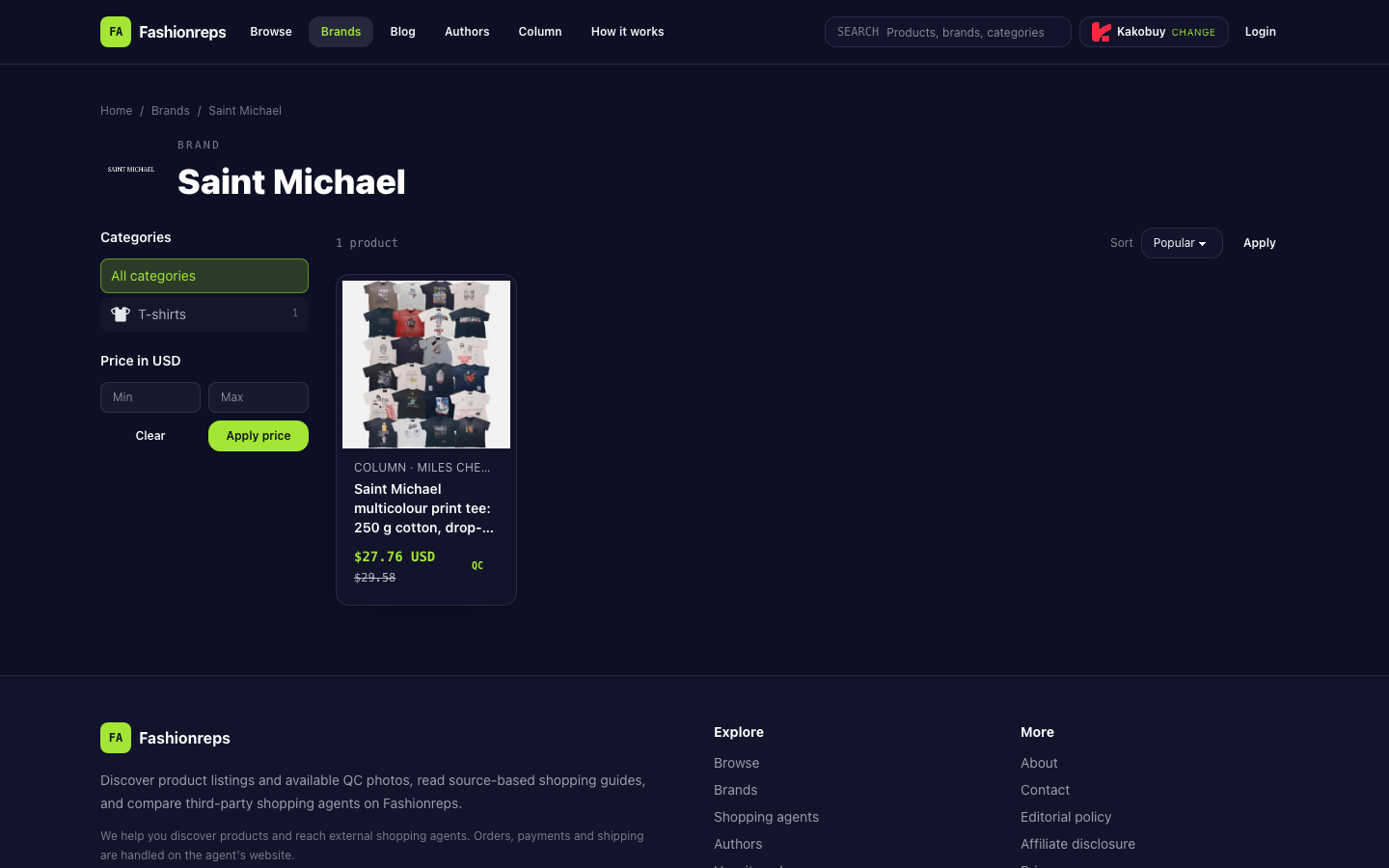
If you're about to buy saint michael accessories but the discount isn't reflected in the order amount, don't rush to pay. Whether the discount applies to the selected item can't be determined just by seeing a promotion notice on the product page; you also need to verify that the specific variant, the cart line item, and the final checkout total are consistent.

Image is for informational illustration only, not product evidence or tested results.
First Confirm You're Looking at the Same Item
Record the following information first to avoid basing your discount judgment on the wrong item or variant:
- Item type: Confirm that the item on the page is indeed a saint michael accessory, not clothing or another category from the same brand.
- Color, style, or other variants: If the page provides these fields, record the currently selected options.
- Size field: Even if accessories are typically not sold in regular clothing sizes, note whether the page shows a size, one-size, or other specification option.
- Original product link: Save the page URL you were on for later reference.
- Query time: Discounts, inventory, and order conditions may change, so recording the time helps distinguish results before and after page updates.
Currently, the verifiable brand page shows 1 item under the Saint Michael category, and the page also displays category filter and price filter entries. However, this page information does not prove that a specific accessory has an available discount, nor does it prove that the discount applies to the variant you selected. Existing materials also show a Saint Michael multicolor printed T-shirt's product description and reference price, which cannot replace product evidence for the accessory itself.
Check Discount Conditions in Order
1. Find the Discount Entry
First check the product page, cart page, and checkout page for any coupon, promo code, automatic discount, or promotion entry. Do not treat regular prices, historical reference prices, or promotional text on the page as currently available discounts.
If no specific code, discount amount, or applicable terms are shown, you can only record the page status and cannot assert that a discount is available.
2. Verify Minimum Spend
If the discount entry shows a minimum spend requirement, confirm what the calculation base is. Some promotions may be based on the item subtotal, or may exclude shipping, service fees, or other charges. Current materials do not provide the official minimum spend for saint michael accessory discounts, so do not set a threshold yourself or use the item's reference price to estimate eligibility.
3. Check Exclusions
Pay special attention to whether the terms exclude specific brands, categories, items, variants, or promotional items. Accessories may use a different item category than clothing, so you cannot infer that an accessory qualifies just because other items from the same brand have a promotion.
If the page does not publicly list exclusions, the correct approach is to take a screenshot and ask the order platform's customer service, rather than interpreting "no exclusions seen" as "definitely applicable."
4. Confirm Validity Period and Stacking Rules
You also need to confirm the promotion's start time, end time, and applicable time zone. Also check whether the discount can be stacked with item discounts, store promotions, or other coupons. Existing sources do not provide verifiable saint michael accessory coupon codes, validity periods, or stacking terms, so it is impossible to confirm whether a discount is currently available.
Cart and Checkout Pages Must Correspond to the Same Order Line
After adding the item to cart, check the order line item one by one:
- Is the brand and item name consistent with the original page?
- Are the color, style, or other variants still as originally selected?
- Has the size or specification field changed?
- Is the item quantity correct?
- Is the item subtotal consistent with the current page display?
- Is the discount clearly shown as applied, rather than just appearing in an input box or promotion description?
If the order line in the cart does not show the variant you selected, pause payment first. Even if the total amount doesn't seem obviously wrong, you cannot confirm that the discount has been applied, because the order may have been changed to another specification, or the discount may only be recalculated at a later step.
After reaching the checkout page, compare the item subtotal, discount amount, shipping, service fees, and total amount due before payment. Don't just look at one total. If the discount amount is zero, the order total is exactly the same as without discount, or the page does not clearly state that the discount has been applied, consider it not yet verified.
What to Do When the Checkout Total Doesn't Change
If you have entered the discount information but the checkout total doesn't change, you can proceed in the following order:
- Take screenshots of the product page, cart, and checkout page, ensuring the screenshots include the item name, selected variant, discount entry, and amounts.
- Return to the cart and confirm that the order line has not been replaced and the quantity and specifications have not changed.
- Re-read the discount terms, focusing on minimum spend, brand or category exclusions, validity period, and stacking restrictions.
- Clear and re-enter the discount information and observe whether the page shows a clear success message or discount amount.
- If the amount still doesn't change, contact platform customer service and provide the original link, order line information, query time, and screenshots.
- Pause payment until you get clear confirmation, and do not add items just to meet a threshold or estimate final cost based on unverified discounts.
When contacting customer service, be specific. For example, ask "Does the currently selected saint michael accessory variant qualify for this discount, and which deduction should appear on the checkout page?" rather than just asking "Is there a discount?" This makes it easier for customer service to check the item category and order line.
What Can and Cannot Be Confirmed Currently
Based on current page materials, it can be confirmed that the fashion-reps Saint Michael brand page has category and price filters and shows 1 item in that category. The materials cannot confirm the current stock, shipping, available coupon codes, minimum spend, exclusions, validity period, stacking rules, or final payment amount for a specific saint michael accessory.
Therefore, until there are current official discount terms or a clear deduction on the checkout page, no discount should be considered as applied. The most reliable judgment standard is: the selected variant matches the cart order line, the discount conditions are confirmed by the page or customer service, and the checkout page actually shows the corresponding deduction.
Nadia Brandt is the site's Editor-in-Chief, reviewing important corrections and leading its quarterly shipping-line timing study. Her coverage includes shopping-agent fee structures, parcel consolidation and volumetric weight, EU-bound shipping timelines, personal-import customs paperwork and QC photo interpretation. Each quarter, she sends paired 2 kg and 5 kg test parcels along every line the desk covers, logging pickup scans, warehouse departure, airline departure and delivery dates against the date the quote was issued. She reconciles the parcels with agent invoices, records cost differences, and uses median figures for the site's public timing tables. She maintains the order log in which scores are fixed before page performance is checked. Her coverage explains the transport milestones and invoice checks behind comparisons of shipping times.