## First Determine: Multiple Drafts Do Not Equal Multiple Paid Orders If the same polar product link is submitted consecutively and multiple order drafts appear on the page, do not immediately treat the draft count as duplicate purchases. Drafts may simply be duplicate pending confirmation records, or the

First Determine: Multiple Drafts Do Not Equal Multiple Paid Orders
If the same polar product link is submitted consecutively and multiple order drafts appear on the page, do not immediately treat the draft count as duplicate purchases. Drafts may simply be duplicate pending confirmation records, or they may have entered the order placement, pending payment, or payment processing status. The number of items in the list alone cannot determine whether multiple actual orders have been placed.
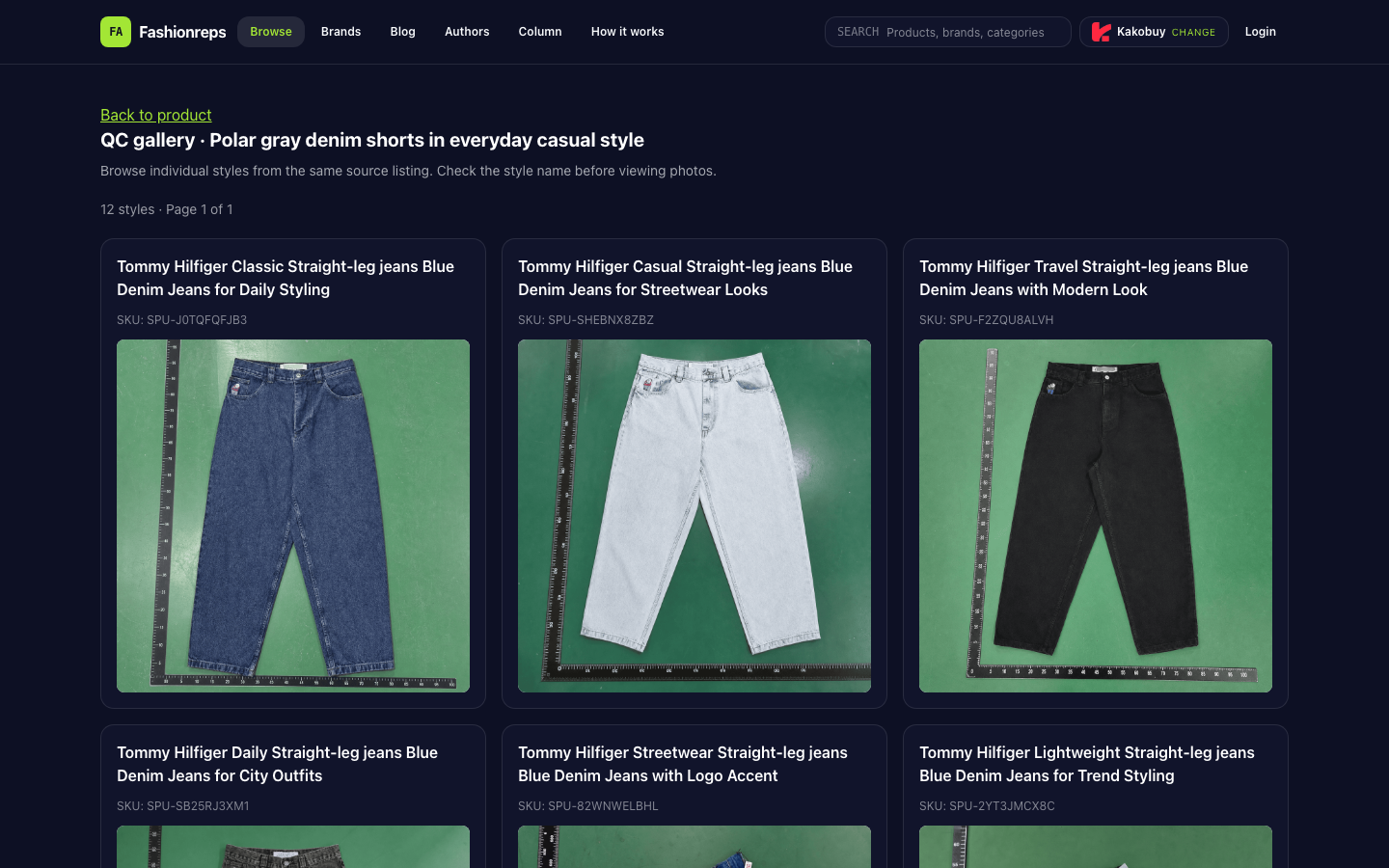
Currently verifiable product page evidence shows that the QC page lists 12 styles for the original item and requires checking specific style names before accessing corresponding photos. Therefore, when rechecking for duplicates, do not just compare the product titles; also confirm whether the color, size, style name, or other variant records are consistent.
Check Against Four Levels of Records
1. Save Original Product Page Information
First, preserve the following content and do not refresh or resubmit further:
- Original product link and page title
- Selected color, size, style name, or specification
- Number of styles displayed on the product page
- Approximate times of the first and subsequent submissions
- Screenshots of the original product page, variant selection page, and submission results
If the page displays multiple styles, prioritize recording the specific style names. Identical page titles do not mean the drafts correspond to the same variant.
2. Compare Each Submission Preview
Open each draft's submission preview one by one and only compare fields that can confirm the product identity:
- Whether the original links are exactly the same
- Whether the style or color matches
- Whether the size, quantity, and remarks match
- Whether the unit price or amount due is displayed
- Whether the draft creation times are close
You can group each record by "same product, same variant, same quantity." Only when all these fields are consistent does it have the superficial characteristics of a duplicate submission; if variants or quantities differ, do not directly merge or cancel.
3. Check Order Draft Status
Record each draft number and its current status separately. Focus on distinguishing between the "draft created" and "order submitted" stages. Statuses that need to be confirmed include:
- Saved as draft only
- Pending confirmation or pending payment
- Purchase submitted
- Payment processing
- Payment successful
- Canceled, failed, or refund processing
If the interface only shows the draft number without a clear purchase or payment result, you can only confirm the record exists, and cannot assert that an order has been placed based on that.
4. Check Payment Records
Finally, verify the actual records in the payment channel, not just the agent page:
- Whether one or multiple charges appear
- Whether the charge times correspond to different drafts
- Whether the amounts are the same
- Whether they are just payment authorizations, balance holds, or failed records
- Whether there are already refund, reversal, or correction notices
Before the first order and payment result are confirmed, do not pay again for other similar drafts. Especially do not click the payment button again just because a draft still shows "pending payment."
Use a Record Table to Avoid Confusion
| Item | Draft A | Draft B | Draft C |
|---|---|---|---|
| Draft Number | Fill in item by item | Fill in item by item | Fill in item by item |
| Creation Time | Fill in item by item | Fill in item by item | Fill in item by item |
| Original Link | Compare if identical | Compare if identical | Compare if identical |
| Style, Color, Size | Fill in item by item | Fill in item by item | Fill in item by item |
| Quantity and Amount | Fill in item by item | Fill in item by item | Fill in item by item |
| Order Status | Based on actual page display | Based on actual page display | Based on actual page display |
| Payment Record | None, processing, or successful | None, processing, or successful | None, processing, or successful |
Do not delete drafts, merge drafts, or recreate orders before recording the status. Keep the original numbers to make it easier to locate when seeking help from the Agent later.
When to Stop Payment Immediately
Suspend all duplicate payment operations when any of the following occurs:
- Two or more drafts have exactly the same link, variant, quantity, and amount
- A successful payment is already seen, but other identical drafts still show pending payment
- Multiple records with identical or similar amounts appear in the payment channel
- The page status remains at payment processing for a long time and cannot confirm whether the charge occurred
- The payment page reports an error, but the account balance or payment channel already shows a charge
- The correspondence between draft numbers, order numbers, or payment numbers is unclear
- You cannot confirm whether a draft has entered the purchase process
These situations do not prove that duplicate orders have necessarily occurred, but continuing to pay will increase the risk of duplicate charges.
Submit Complete Evidence When Contacting the Agent
Contact the Agent through the shopping agent order customer service, ticket, or on-site support entry you actually use. Provide the following in one message:
- Original product link
- Product page title and specific variant
- All relevant draft numbers or order numbers
- Creation time of each record
- Current status displayed for each draft
- Payment record screenshots and transaction times
- The record you wish to keep
- A clear request to confirm whether duplicate purchases, duplicate payments, or payment processing records exist
You can directly state: "The same product and the same variant were submitted repeatedly, and there are currently multiple drafts. Before confirming the first order and payment status, I have not continued to pay. Please check which records have entered the purchase process and explain whether the remaining records can be safely canceled."
Conclusion
The order for handling duplicate drafts should be: save the original product and variant evidence, compare each submission preview, record the order status, and then verify the payment channel. Multiple drafts alone do not prove that multiple orders have been placed; before the Agent confirms the first purchase and payment result, stop paying again for the same product and same variant, and retain all draft numbers and screenshots.
Nadia Brandt is the site's Editor-in-Chief, reviewing important corrections and leading its quarterly shipping-line timing study. Her coverage includes shopping-agent fee structures, parcel consolidation and volumetric weight, EU-bound shipping timelines, personal-import customs paperwork and QC photo interpretation. Each quarter, she sends paired 2 kg and 5 kg test parcels along every line the desk covers, logging pickup scans, warehouse departure, airline departure and delivery dates against the date the quote was issued. She reconciles the parcels with agent invoices, records cost differences, and uses median figures for the site's public timing tables. She maintains the order log in which scores are fixed before page performance is checked. Her coverage explains the transport milestones and invoice checks behind comparisons of shipping times.