What This Shortlist Is Trying to Solve When organizing trapstar items on fashionreps, the most common issue isn't missing a color—it's mistaking the same image, similar titles, or different product cards as multiple directly purchasable candidates. A more reliable approach is to separate website browsing and Google Sheets into two stages: the website is for discovering and verifying page evidence, while the sheet is for r
What This Shortlist Is Trying to Solve
When organizing trapstar items on fashionreps, the most common issue isn't missing a color—it's mistaking the same image, similar titles, or different product cards as multiple directly purchasable candidates. A more reliable approach is to separate website browsing and Google Sheets into two stages: the website is for discovering and verifying page evidence, while the sheet is for recording status, filtering conflicts, and keeping review traces.
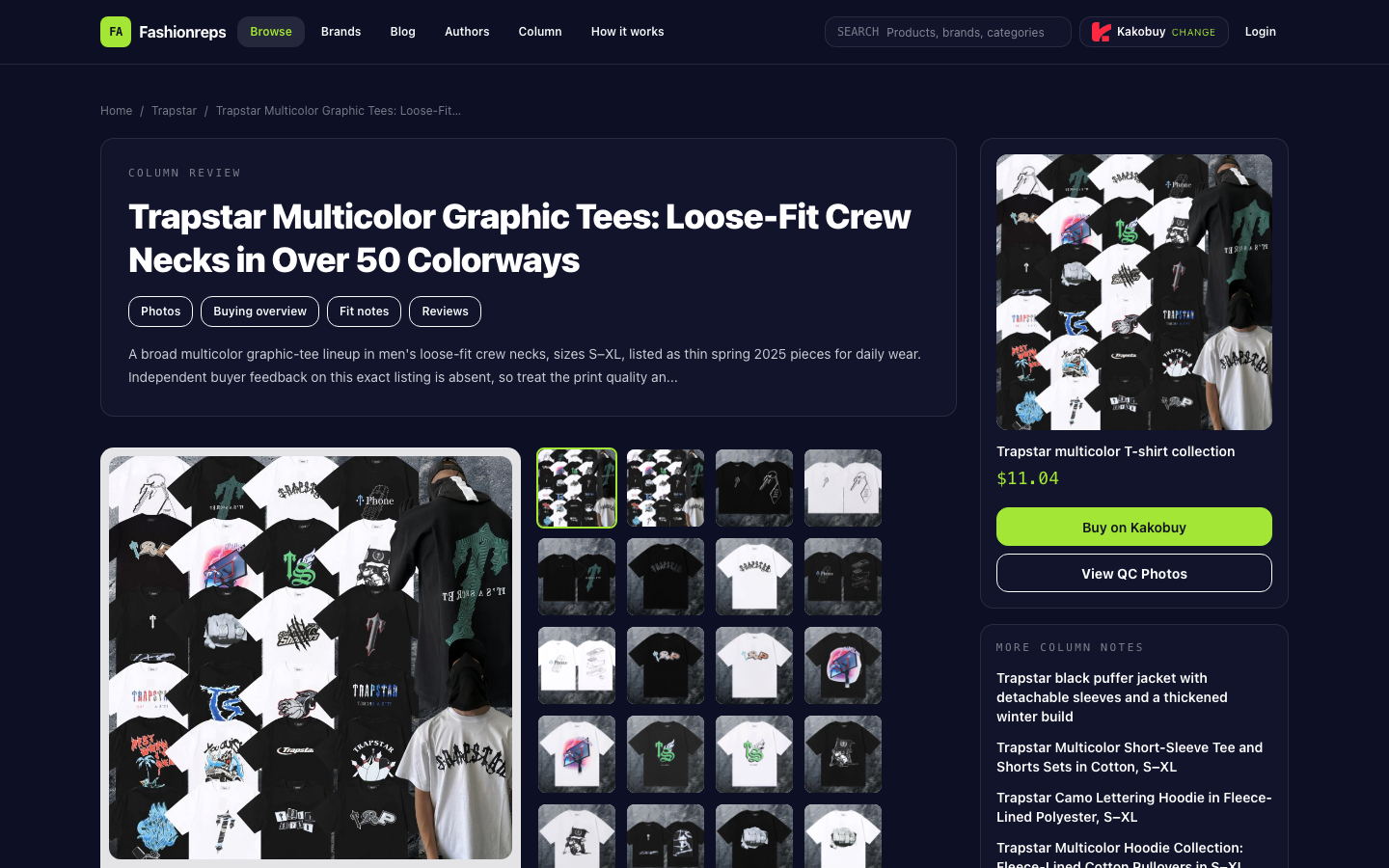
This article only discusses how to build a verifiable shortlist, not to write unverified product quantities, stock, prices, shipping costs, or fabric information into candidate conclusions. The currently verifiable page is a trapstar multi-color graphic short-sleeve page, recorded as relaxed fit, crew neck, short sleeves, sizes S to XL, and showing multiple color options; the page also indicates this specific product lacks independent buyer feedback, so print durability or sizing cannot be judged from images alone.

Figure: Field organization and candidate filtering illustration, not a substitute for trapstar product physical, QC, or first-hand evidence.
First Build Raw Records on the Website
After opening the trapstar page on fashionreps, don't rush to list every color as a separate product. First save the page title, page URL, main image, and the category description actually appearing on the page, then check whether the images, purchase overview, size guide, review section, and QC entry all belong to the same page.
The currently verifiable page title points to a trapstar multi-color graphic short-sleeve collection, described as relaxed fit crew neck short sleeve, listing S, M, L, XL. The page also shows multiple color variants, but "many colors" doesn't equal "the same number of independent product cards exist." If multiple options share the same product page and the same set of main images, record it as one product page first, then split the visible options in the color field.
Suggest keeping the following raw fields:
- Page title: copy completely, don't rewrite it into a more specific style name.
- Page URL: for returning to the original page for review.
- Page main image: record the image URL or screenshot filename, avoid relying only on visual memory.
- Page category: e.g., short sleeve, T-shirt, or other category explicitly stated on the page.
- Color or variant: only record options currently clearly displayed on the page.
- Size: only record the size range appearing on the page.
- Specs: record whether the page provides fabric, weight, size chart, or other parameters.
- QC entry: record whether the page provides a corresponding entry, don't write "has entry" as "already verified qualified."
- Review date: enter the actual inspection date to freeze status.
Use Three Statuses to Control Candidate Flow
Don't use only "recommended" and "not recommended" in the sheet. For pages with evidence gaps, it's best to use three statuses: "candidate," "pending verification," and "excluded."
| Status | Applicable condition | Next step |
|---|---|---|
| Candidate | Title, image, category, and link correspond to each other with no obvious conflict | Enter final shortlist, pending re-check before ordering |
| Pending verification | Page exists, but image correspondence, size, variants, or QC info still incomplete | Supplement screenshots or reopen the original page |
| Excluded | Same-image wrong style, link cannot return, category mismatch, or key fields inconsistent with target | Not recommended for purchase, keep exclusion reason |
"Pending verification" is not a temporary "candidate." If the page lacks a size chart, or images cannot be confirmed to belong to the current title, don't upgrade it to candidate just to reach a count. For the current page, the page clearly gives S to XL, but specific measurements and fiber composition are not fully confirmed, so these fields should be separately marked as "not provided" or "pending verification," not self-completed.
Exclusion Order for Same-Image Candidates
When the same image appears on multiple product cards, follow this order, usually safer than comparing prices first.
Step one, compare page title and category. If an image shows a short-sleeve T-shirt, but another page title points to a hoodie, jacket, or other category, even if the graphic is similar, it cannot be directly regarded as the same style. Without sufficient evidence, mark the latter as "pending verification," don't judge by image cropping or color.
Step two, compare page links. If different colors return to the same page, prioritize treating them as variants under the same product page; if links differ, continue checking title, main image, and specs. Different links don't automatically prove different products; link correspondence must be judged together with page content.
Step three, compare main image and image context. Don't only look at partial prints. Check collar, cuffs, fit, model display, flat lay, and color names on the page. If multiple cards completely share images without independent color or spec evidence, keep one main record first, set the rest as pending verification or excluded.
Step four, compare size and specs. The current page lists S, M, L, XL, but the page's specific fabric info is only recorded as "other," without complete fiber composition, and the page doesn't confirm whether it follows the brand's retail sizing rules. Therefore, don't replace this page's size chart with sizing experience from other trapstar items.
Step five, record exclusion reasons. Don't just delete duplicate rows. Write things like "shares main image with another page, no independent variant evidence found," "category inconsistent with target short sleeve," "link cannot return to original product page," or "key size info missing." This way, when re-checking later, you can distinguish true duplicates from temporary insufficient evidence.
How to Design Fields in Google Sheets
Google Sheets is suitable for organizing scattered page evidence from the website into filterable records, but it cannot replace the product page, QC images, or seller size chart. Suggest defining one row as "one page or one variant clearly distinguished by the page," not expanding every possible color into a row in advance.
Recommended fields:
| Field | How to fill |
|---|---|
| Status | Choose one: candidate, pending verification, excluded |
| Page title | Copy the actual page title |
| Category | Record the category explicitly stated on the page |
| Color or variant | Only fill what the page shows or images clearly support |
| Size | Record the size range listed on the page, don't add speculative values |
| Main image record | Enter image filename, screenshot number, or internal note |
| Image-title correspondence | Yes, no, to confirm |
| Link returnable | Yes, no, to confirm |
| QC entry | Yes, no, not checked; don't write quality conclusion |
| Spec completeness | Complete, partial, not provided |
| Exclusion or pending reason | Record the gap or conflict in one sentence |
| Last review date | Enter the actual inspection date |
When filtering, first filter status to "candidate," then check "image-title correspondence" and "link returnable." If either field is not "yes," don't put that row into the final purchase shortlist. For records with "spec completeness" as "partial" or "not provided," keep them but remind readers before purchase to check seller's original info.
How to Freeze a Shortlist
A row can be frozen as a candidate only when it meets all of the following: page title consistent with target category; main image has no obvious evidence of belonging to another category; colors or variants visible on the page; size info recorded; link can return to the original page; review date filled in; no unresolved same-image conflicts.
Freezing doesn't mean product quality has been proven. The current source has no independent buyer feedback for this specific page, so print durability, wearing comfort, or actual sizing cannot be written as verified conclusions. The source also hints that related similar printed items may have risks like print cracking or thin fabric, but this can only be a review focus, not a direct physical conclusion for the current page.
After freezing, don't overwrite the original record. If page title, images, size, or QC entry changes, add a new review record or update change notes explaining what changed. This avoids mistaking old page evidence for current status.
When to Pause Selection
In the following situations, pause adding the item to purchasable candidates:
- Image fails to load, and no other image or page evidence can confirm the style.
- The same main image corresponds to multiple different categories, and the page doesn't clearly distinguish relationships.
- The page shows color names, but not enough images to confirm the color matches the title.
- Size range exists, but seller size chart, key measurements, or applicable fit cannot be confirmed.
- Link cannot open, redirects to a different product, or page content inconsistent with original record.
- Only reviews from similar styles or other sellers exist, no independent feedback for the current page.
- Page status, stock, final product price, service fee, or international shipping cost not confirmed by current evidence.
The purpose of pausing is not to prove the product is unbuyable, but to prevent disguising insufficient-evidence records as definite recommendations. After reopening the page, supplementing screenshots, or obtaining the seller's size chart, decide whether to convert to candidate or exclude.
Final Checklist
Before submitting the shortlist, check row by row:
- Does one row correspond to one page or a clearly evidenced variant, not expanded colors by imagination.
- Are same-image conflicts handled first before comparing other info.
- Is "has QC entry" distinguished from "quality verification completed."
- Are unprovided fabric, stock, price, shipping, and buyer feedback left blank or marked as unverified.
- Are all exclusion or pending reasons preserved.
- Is the last review date filled, and can you return to the original page from the sheet.
After completing these checks, the sheet's value is not in listing the most items, but in allowing every retained record to be traced back to the corresponding page for re-verification. For the current trapstar page, the safest conclusion is: the page can be recorded as a pending-review multi-color short-sleeve candidate source, but an unconfirmed independent product list cannot be expanded solely based on shared images, color counts, or similar product info.
Nadia Brandt is the site's Editor-in-Chief, reviewing important corrections and leading its quarterly shipping-line timing study. Her coverage includes shopping-agent fee structures, parcel consolidation and volumetric weight, EU-bound shipping timelines, personal-import customs paperwork and QC photo interpretation. Each quarter, she sends paired 2 kg and 5 kg test parcels along every line the desk covers, logging pickup scans, warehouse departure, airline departure and delivery dates against the date the quote was issued. She reconciles the parcels with agent invoices, records cost differences, and uses median figures for the site's public timing tables. She maintains the order log in which scores are fixed before page performance is checked. Her coverage explains the transport milestones and invoice checks behind comparisons of shipping times.